What Causes Solar Security Cameras to Stop Recording?
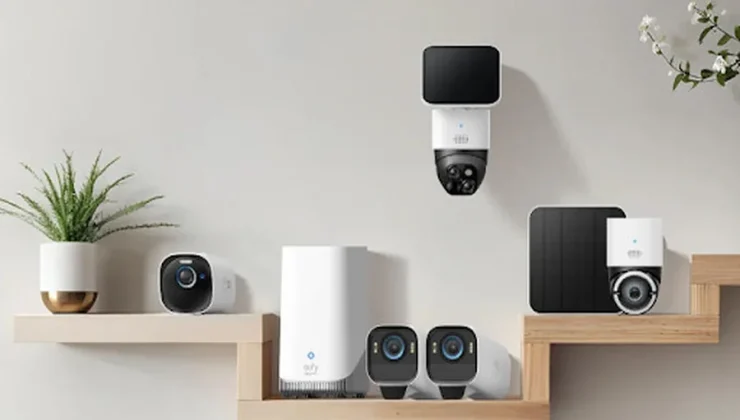
A solar security camera can stop recording for several reasons, and most of them relate to power supply, environmental conditions, or internal settings that influence how the device behaves. Even though solar-powered designs reduce the need for manual charging, the system still depends on consistent sunlight, proper installation, and stable motion detection. When any of these factors fall out of balance, recording may pause or become inconsistent.
Many homeowners choose dependable options from eufy because they appreciate stable solar performance, but the underlying causes apply to all systems. Understanding these factors helps you troubleshoot quickly and keep your solar powered security camera working reliably.
Power-Related Issues That Interrupt Recording
Insufficient Sunlight Reduces the Camera’s Power Reserve
Solar cameras rely on sunlight to maintain their internal battery. When sunlight becomes limited due to seasonal changes, shade, or cloudy weather—the battery may drain faster than it recharges. Once the battery drops below a certain level, many cameras prioritize essential functions over recording. The device may still send alerts or stay online but stop storing video clips.
This behavior protects the internal battery from deep discharge. Users can prevent this issue by checking exposure throughout the day, adjusting the angle of the panel, or trimming nearby branches. Homeowners who use eufy solar cameras often find the design efficient, but positioning still plays a major role.
Obstructed Solar Panels Slow Down Charging
Even small obstructions such as leaves, dust, debris, or bird droppings—can reduce the amount of sunlight reaching the panel. A thin layer of dirt can make a surprising difference, especially during winter months or in shaded yards. When the solar panel cannot collect enough energy, the battery stays in a low state of charge, causing interruptions in recording. Regular cleaning with a soft cloth helps maintain efficiency.
Homeowners should also watch for seasonal changes in sunlight direction and adjust the panel angle accordingly. Keeping the panel clean and unobstructed ensures the camera stays powered consistently throughout the year.
Temperature Extremes Affect Battery Performance
Solar security cameras operate outdoors year-round, exposing them to temperature shifts that influence battery health. Extreme cold can temporarily reduce battery output, causing the camera to pause recording until temperatures rise. Excessive heat may prompt the device to limit certain functions for protection.
These temperature-related pauses are common in both hot and cold climates. Good-quality devices manage temperature safely, but users should still consider placement. Installing the camera under a slight overhang or selecting a spot with moderate sun exposure helps reduce thermal stress. Thoughtful positioning ensures the device maintains stable recording performance across all seasons.
Motion Detection And System Settings That Interrupt Recording
Incorrect Motion Settings Prevent the Camera From Triggering
Solar security cameras often use motion detection to conserve power by recording only when something meaningful occurs. If the detection zone is too narrow, too wide, or misaligned, the camera may not trigger when it should. Sensitivity that is set too low may also miss important movement.
On the other hand, overly high sensitivity can overwhelm the system with unnecessary triggers, leading to battery drain and auto-shutdown of recording features. Adjusting detection zones, sensitivity levels, and activity areas improves accuracy. Many eufy cameras provide intuitive interfaces for fine-tuning settings, helping users reduce false alerts while ensuring important events are always captured.
Network Instability Interrupts Recording Uploads
While solar cameras operate independently, many rely on a stable Wi-Fi connection to upload recordings or store them in the cloud. If the connection weakens or drops, the camera may save clips locally but fail to upload them or in some cases, pause recording entirely until the network stabilizes.
Thick walls, long distances from the router, or interference from other devices weaken signal strength. Using a Wi-Fi extender or adjusting router placement often resolves these issues. Stable connectivity ensures recordings transfer smoothly and prevents gaps in the camera’s activity log.
Storage Limits or Overwrites Stop New Footage From Saving
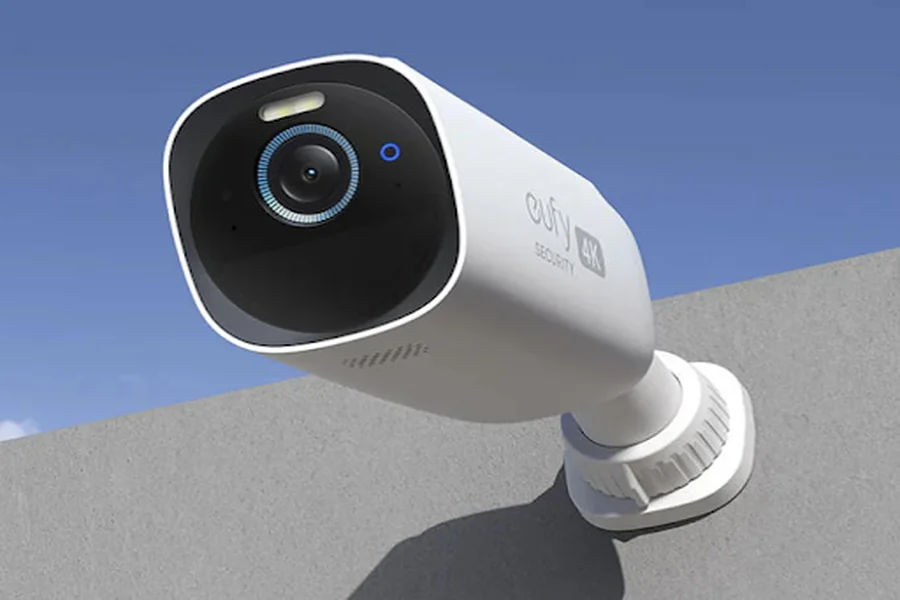
If a camera stores footage locally on internal memory or SD storage, space limitations may halt new recordings. Some systems overwrite older footage automatically, while others stop recording when storage fills. Reviewing storage settings helps ensure the camera saves clips without interruption.
Users should also periodically check for corrupted files or storage errors. Keeping storage clear and organized ensures the device operates smoothly. High-quality cameras, including those offered by eufy, often include intelligent storage management to prevent avoidable interruptions.
Conclusion
Solar security cameras stop recording for several key reasons: insufficient sunlight, obstructed solar panels, temperature extremes, incorrect motion settings, unstable network connections, or storage limitations. Each factor influences how reliably the device captures and saves video.
By understanding how solar charging, environmental conditions, and internal settings work together, homeowners can troubleshoot quickly and maintain dependable recording performance.
Many users choose thoughtfully engineered solutions from eufy because the designs support stable detection and solar efficiency, but even the best system benefits from proper placement and occasional maintenance. With a well-positioned and well-tuned setup, a solar camera becomes a long-lasting, reliable protector of your home.